
PDF Mithra - Your friendly companion for PDF highlights.
Introduction
After years in academia, I've come to realise there are certain things we all just quietly wish worked better — and nobody ever gets around to fixing them.
One of those things, for me, was PDF annotations. You spend hours reading a paper, highlighting key arguments, leaving comments in the margins, colour-coding everything. And then when it's time to actually write — the lit review, the study notes, the summary — all of that work is just sitting trapped inside the file. There's no way to get it out without copy-pasting line by line.
That's one of the first things I built when I started learning Claude Code and Gemini CLI. I described the problem, worked through it with the tool, and a few sessions later had something that actually solved it.
Here is the fruit of that labour.
Pdf-Mithra is a free desktop app that pulls every highlight, underline, comment, and sticky note out of your PDFs and turns them into clean, structured notes — automatically grouped by the section of the document they came from.
• Export as Markdown, CSV, Obsidian callouts, or an HTML report with search and filters.
• Drop multiple PDFs at once for a combined export — useful for literature reviews.
• Label what your highlight colours mean, and your exports carry those labels.
Free for anyone to use. Always.
github.com/drkbhere/pdf-mithra
What it looks like
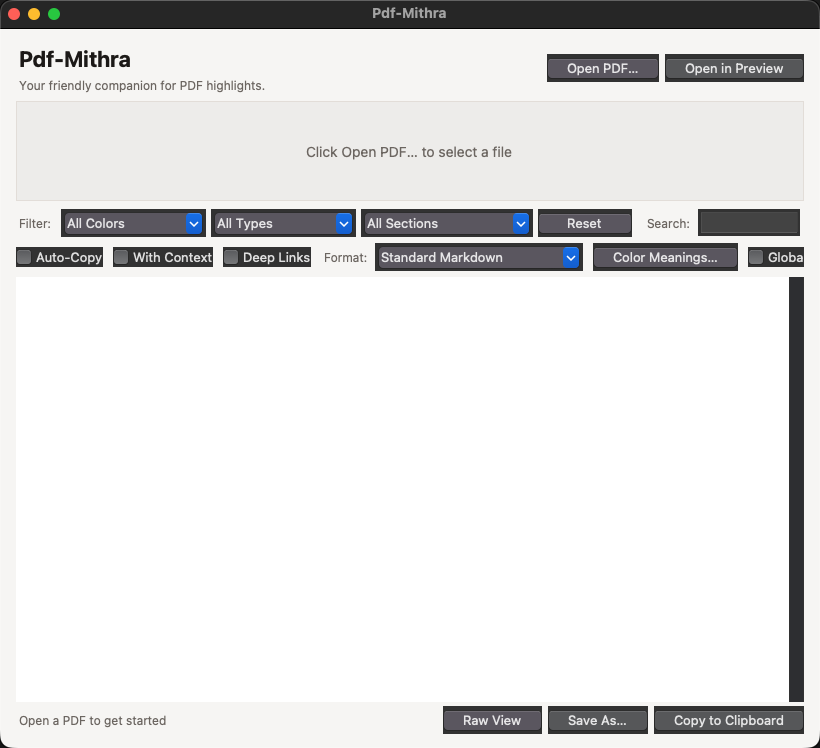
Pdf-Mithra — ready to receive a PDF
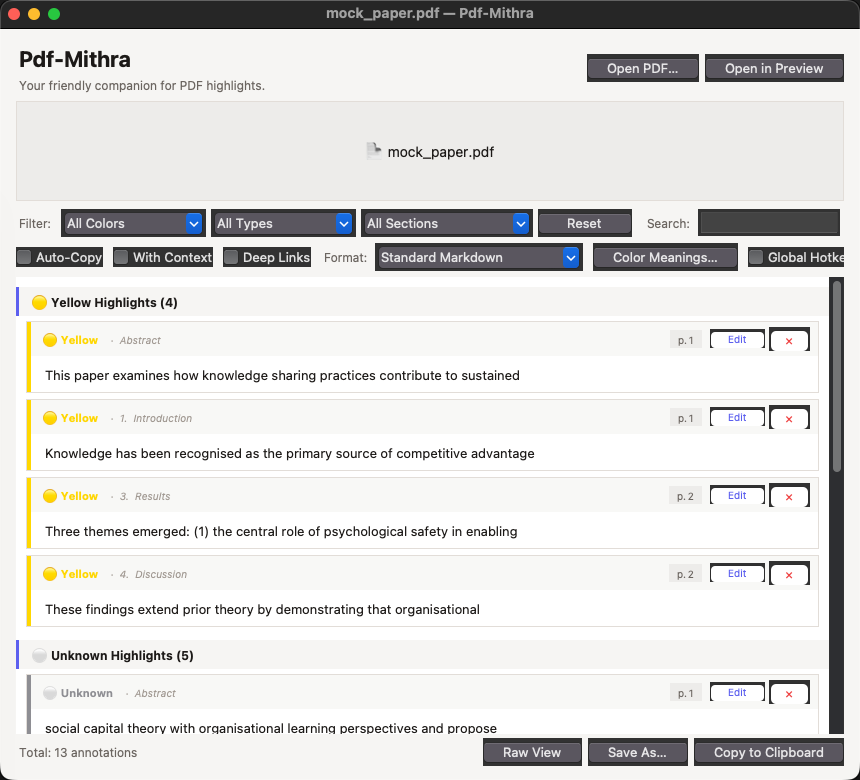
Pdf-Mithra — annotations extracted and grouped by section (Abstract, Introduction, Results, Discussion)
Features
Automatic section detection
Pdf-Mithra reads the structure of your PDF and groups annotations under the correct section heading automatically — Introduction, Methods, Results, Discussion, and so on. No manual tagging needed. Works with academic papers, books, and reports.
Colour meaning system
Label what each highlight colour means to you. Three presets built in:
|
Preset |
Yellow |
Green |
Blue |
Red |
Orange |
Purple |
|
Academic
Reading |
Key Argument |
Evidence |
Definition |
Critique |
Follow Up |
Quote to Cite |
|
Book Notes |
Main Idea |
Example |
Vocabulary |
Disagree |
Action Item |
Inspiring |
|
Code Review |
Question |
Good Pattern |
Reference |
Bug / Issue |
Refactor |
Architecture |
Or define your own labels — saved for every future PDF.
Six export formats
Format Best for
Standard Markdown General note-taking, works anywhere
Markdown + Metadata Includes title, author, page count, word coverage
Obsidian Callout Blocks Paste straight into your Obsidian vault
Markdown Table Pipe-table format for any Markdown workflow
CSV Open in Excel, Notion, Airtable — great for literature matrices
HTML Report Self-contained file with search bar, colour filters, and print mode
Batch mode
Drop multiple PDFs at once. Pdf-Mithra processes all of them and exports a single combined file — ideal for literature reviews across dozens of papers.
Search and filter
Filter by colour, annotation type, or document section. Full-text search works across highlighted text, section names, and colour meanings.
Click to open at page (Mac)
Click any annotation card to jump directly to that page in Preview — useful when you want to re-read the context around a highlight.
Raw Markdown view
Toggle between the card view and a raw Markdown preview. Useful for checking exactly what will be copied or saved before exporting.
How to get started — Mac
Requirements
• macOS 12 (Monterey) or later
• Python 3.11 or later — download free from python.org/downloads
Important: Keep the Pdf-Mithra folder in your home directory — not in Desktop or Documents. macOS restricts app access to those folders.
First-time setup (Terminal, once only)
- Download the Pdf-Mithra folder from github.com/drkbhere/pdf-mithra
- Move it somewhere in your home folder (e.g. ~/Pdf-Mithra)
- Open Terminal: press Cmd + Space, type Terminal, press Return
- Type cd and a space, then drag the folder into Terminal. Press Return.
- Run this command:
pip install -r requirements.txt
Takes about a minute. Never needed again.
Launching (every time)
Double-click Pdf-Mithra.app in the folder. No Terminal needed after setup.
If macOS shows a security warning the first time: right-click → Open → Open.
How to get started — Windows
Requirements
• Windows 10 or later
• Python 3.11 or later — download free from python.org/downloads
Important: During Python installation, tick "Add Python to PATH" — this is essential.
Setup and launch
- Install Python from python.org/downloads — tick 'Add Python to PATH'
- Download the Pdf-Mithra folder from github.com/drkbhere/pdf-mithra
- Double-click Pdf-Mithra.bat in the folder.
On the first run it automatically installs all dependencies (~1 minute). Every run after that opens the app directly — no Terminal ever needed.
Tips
• Set up Color Meanings before you export. It takes 30 seconds and makes your output much more useful — especially for CSV and HTML.
• For a literature review: drop all your papers at once, switch to CSV, and open in Excel or Notion. You'll have a full annotation matrix in one go.
• The HTML Report is great for sharing — one file, opens in any browser, has search and colour filters built in, and prints cleanly.
• If you use Obsidian, the Obsidian Callout Blocks format pastes directly into a note.
• With Context mode extracts the surrounding sentences — useful when you want more than just the highlighted text itself.